ZUGFeRD validators: what to test before you send a hybrid invoice
Official references
Use these sources to verify dates, formats, and official rule changes.
Related Technical Wiki
Explore deep-dive developer documentation and regulatory guidelines matching this article.
ZUGFeRD and Factur-X hybrid invoices: PDF/A-3 with embedded CII/XML, profile levels (MINIMUM to EXTENDED), validation, and when to choose ZUGFeRD vs pure XML for Germany and EU B2B.
Hybrid PDF/XML review, stale validation, and source PDF readiness.
Understand when a hybrid ZUGFeRD or Factur-X PDF can be accepted as an archive-ready PDF/A-3 file.
This guide is for teams generating ZUGFeRD or Factur-X and wondering whether “the PDF opens” means the invoice is ready to send.
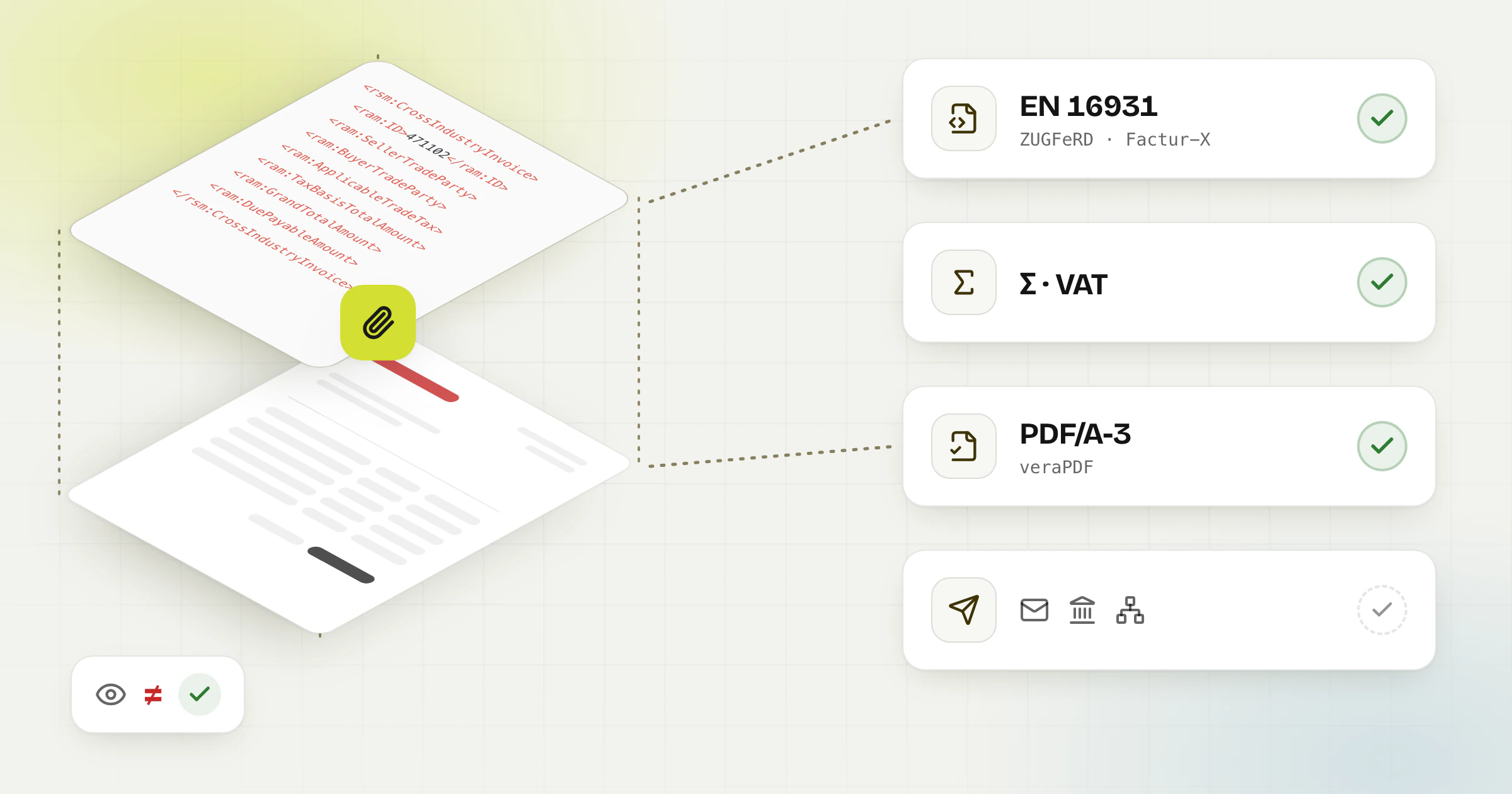
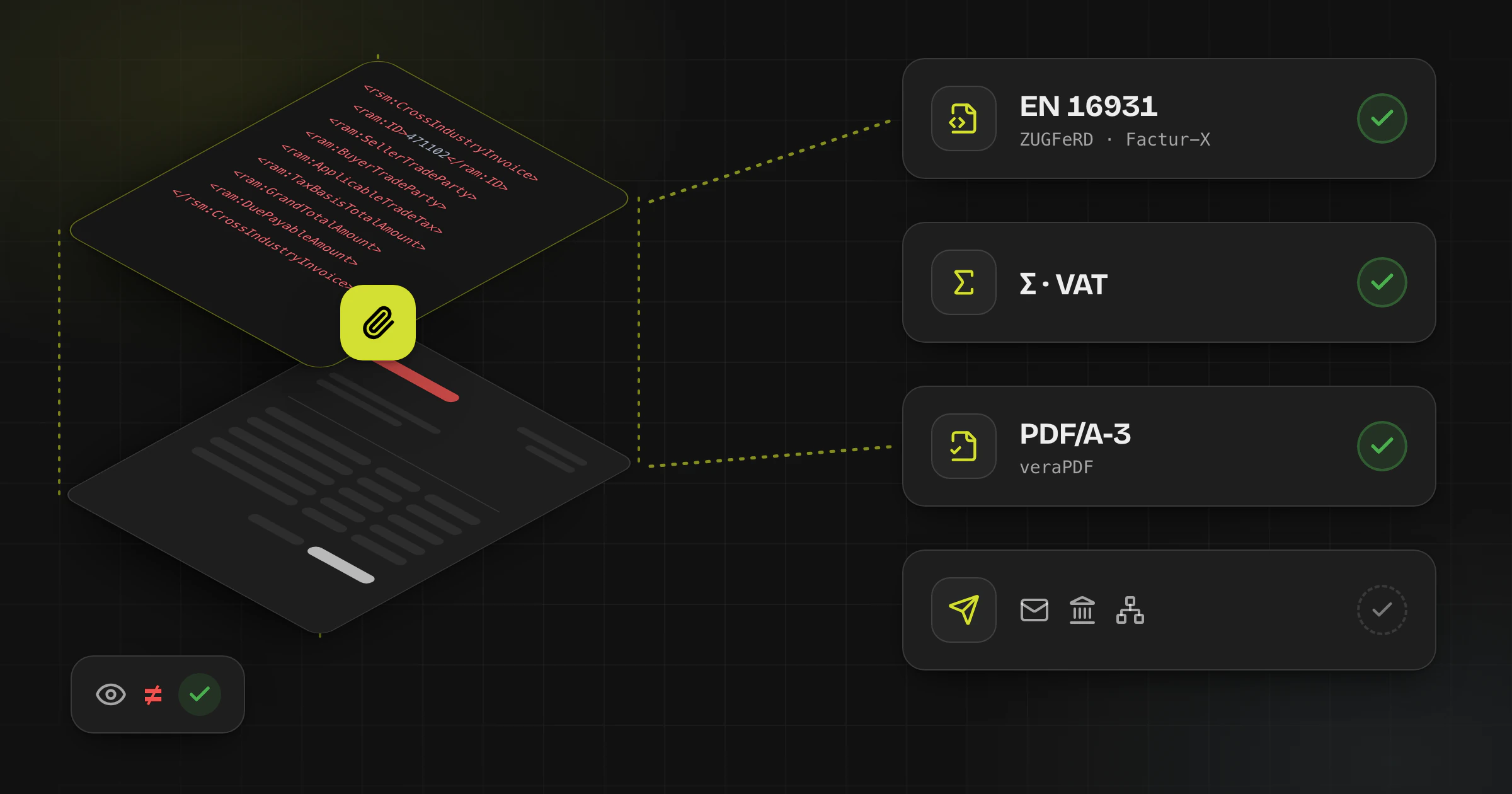
It does not. A usable hybrid invoice needs more than a readable PDF: the embedded XML must match the intended profile, mandatory data must be present, totals must reconcile, and the PDF container itself should meet the archival expectations of the format.
What a validator should actually check
- The embedded XML is present and can be read correctly from the PDF container.
- The invoice data complies with EN 16931 and the selected ZUGFeRD or Factur-X profile.
- Monetary totals, VAT breakdowns, units, and dates are internally consistent.
- The PDF file itself meets the expected PDF/A-3 constraints for a hybrid invoice workflow.
Use more than one kind of validation
A strong workflow usually combines at least two layers. First, validate the business content and XML rules. Second, check the PDF/A-3 container and embedded-file packaging. If a recipient channel applies its own checks, treat that as a third gate rather than your only test.
Interactive pipeline
How a hybrid invoice is validated
Click a stage to see what it checks, or type a rule ID to light up the stage that reports it.
Stage 1 · What it checks
PDF/A-3 container
- The PDF meets PDF/A-3, checked with a PDF/A validator such as veraPDF.
- The invoice XML is embedded, for ZUGFeRD 2.1+ and Factur-X as factur-x.xml, with its file relationship and XMP metadata.
- The embedded XML is what the next stages check.
Example codes
PDF/A validators cite clauses of the PDF/A standard, not BR codes.
Typical fix
Check the final PDF with the XML embedded, not a draft PDF.
A practical combination is a ZUGFeRD-aware invoice validator for the XML and business rules, plus a PDF/A validator such as veraPDF for the document container.
Recommended validation workflow
- Generate the ZUGFeRD or Factur-X invoice from source data you have already reviewed.
- Run a rule-based invoice validation against the target profile and EN 16931 expectations.
- Run a PDF/A-3 check on the final document, not on a draft PDF without embedded XML.
- Extract or inspect the embedded XML and compare key fields with the reviewed source invoice.
- Only then send the document through email, portal, or Peppol depending on the recipient process.
Common failures and what they usually mean
- The PDF opens normally, but the XML is missing, malformed, or not attached as expected.
- The XML is valid enough to parse, but required business fields or profile identifiers are wrong.
- Line totals, taxable bases, and VAT amounts do not reconcile after extraction or mapping.
- The document looks right to a human reviewer but fails PDF/A-3 checks because the hybrid container is incomplete or non-compliant.
Official and primary references
Frequently asked questions
Is opening the PDF enough to prove ZUGFeRD compliance?
No. A readable PDF only proves that the visual layer can be rendered. It does not prove that embedded XML is present, valid, or aligned with the intended profile.
Why use both an invoice validator and a PDF/A validator?
They test different layers. One focuses on invoice semantics and rules, while the other checks PDF/A conformance and the document container.
Can validation remove the need for human review?
No. Validation is essential, but teams still need human review for source-quality issues, profile selection mistakes, and business-context errors that automated checks may not fully interpret.
Check your e-invoice file
Upload your ZUGFeRD or Factur-X file, as a hybrid PDF or as XML, and see which rules fail before you send it. The validator is free and works without an account.