WebMCP invoice conversion: review, validate, generate, and download with ChatGPT
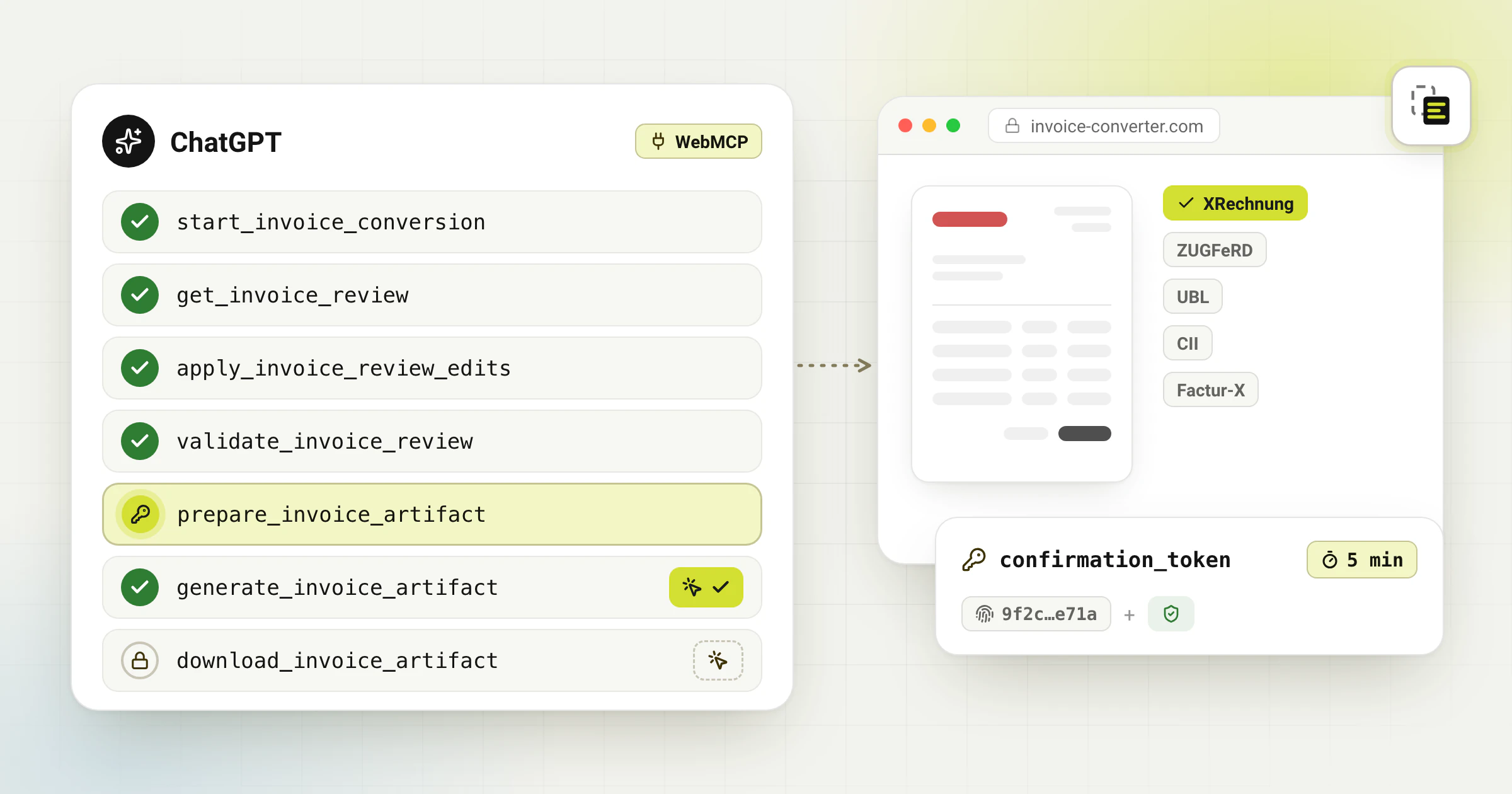
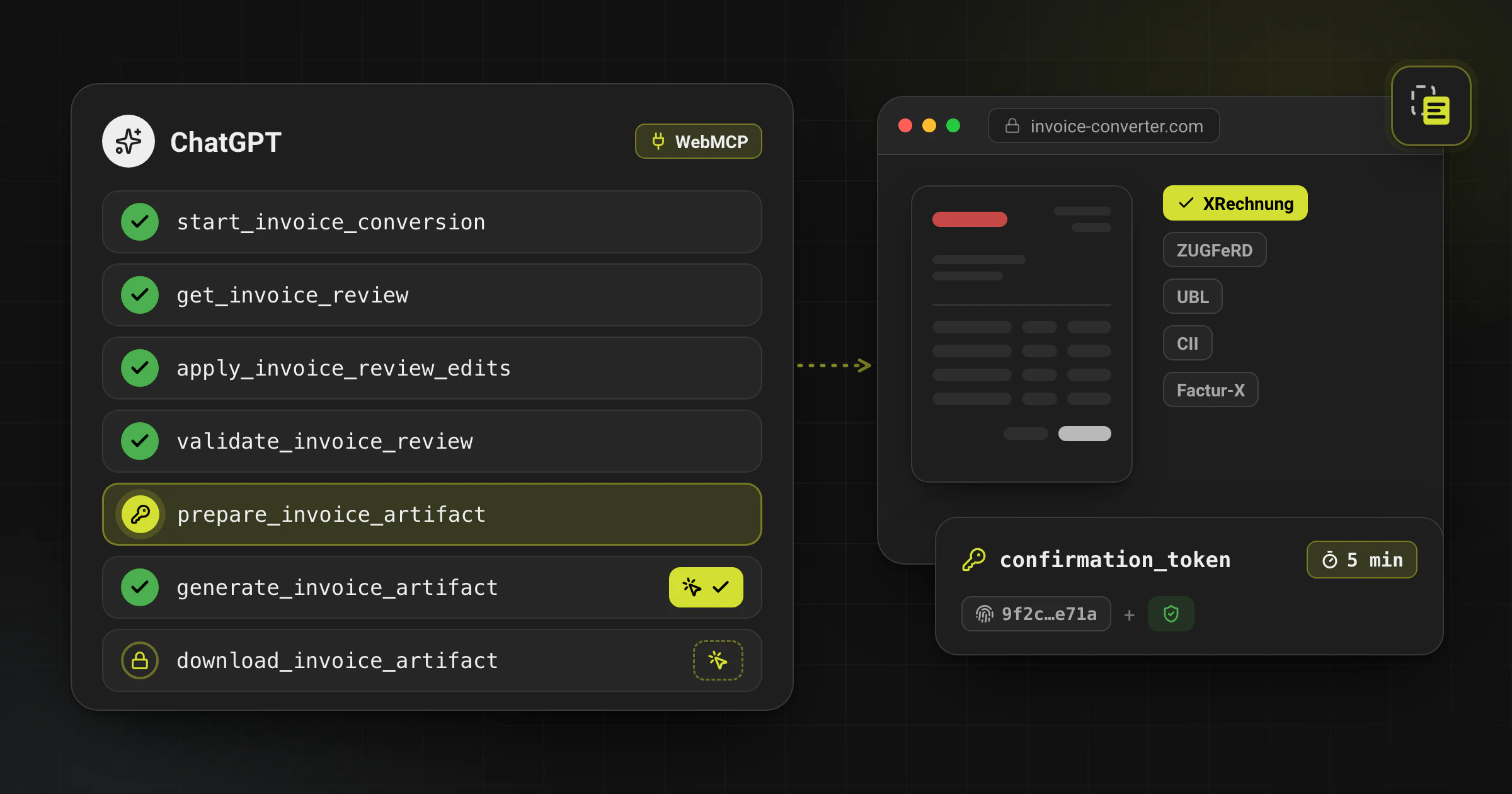
Invoice Converter now exposes its existing page workflow as WebMCP tools. In a supported browser, ChatGPT can start a conversion after you select a PDF, inspect and edit the extracted invoice, run validation, generate the final artifact, and request its download.
What the end user can do
Select one PDF with the normal file picker, then ask ChatGPT to convert it. ChatGPT can report the current step, show extracted invoice data, apply bounded field corrections, and return validation errors and warnings.
Interactive flow
ChatGPT runs the steps, you confirm
Press play or click a step to follow one invoice through this channel.
Pipeline stage
You pick one PDF
Select one local PDF with the normal file picker. ChatGPT cannot choose a local file for you.
After review, ChatGPT can prepare, generate, and download XRechnung, ZUGFeRD, UBL, CII, or Factur-X through the same page routes that are available to the user.
Why generation and download need confirmation
WebMCP does not bypass the product controls. Preparation creates a five-minute token bound to the exact canonical invoice hash and validation proof. Generation and download each need explicit confirmation. If the reviewed invoice or proof changes, the token stops working.
The download uses the normal account, entitlement, and web-credit path. A non-subscriber download can use one standard UI credit. A failed artifact generation does not introduce a new charge path.
Availability and fallback
WebMCP availability depends on the browser, ChatGPT plan, and model. The normal Invoice Converter interface remains available when WebMCP is absent. For the detailed tool flow and limits, open the WebMCP resource guide.
Frequently asked questions
Can ChatGPT select a local PDF for me?
No. You select the local PDF with the normal browser file picker. WebMCP starts only after the page has that file.
Can ChatGPT download the final invoice?
Yes, after review, current validation, artifact generation, and a separate explicit download confirmation. Normal account and credit rules apply.
Ready to convert your invoices?
Upload your PDF invoice, review the extracted details without signing in, and download a validated XRechnung, ZUGFeRD, Factur-X, or UBL file.