Convert PDF to XRechnung: practical workflow and paid plans
Official references
Use these sources to verify dates, formats, and official rule changes.
Related Technical Wiki
Explore deep-dive developer documentation and regulatory guidelines matching this article.
How XRechnung applies EN 16931 in Germany, including XML syntax, validation, buyer references, and delivery channels.
XRechnung Business Terms and Groups (BT and BG), with field requirements, validation rules, and examples.
German XRechnung BR-DE validation errors, with the related business rules and practical fixes.
This guide is for finance teams, suppliers, and ERP owners who still receive or create PDF invoices but now need a compliant XRechnung workflow for Germany.
Convert PDF to XRechnung – tutorial with validation
When you play it, YouTube (youtube-nocookie.com) loads the video, and data is transferred to Google.
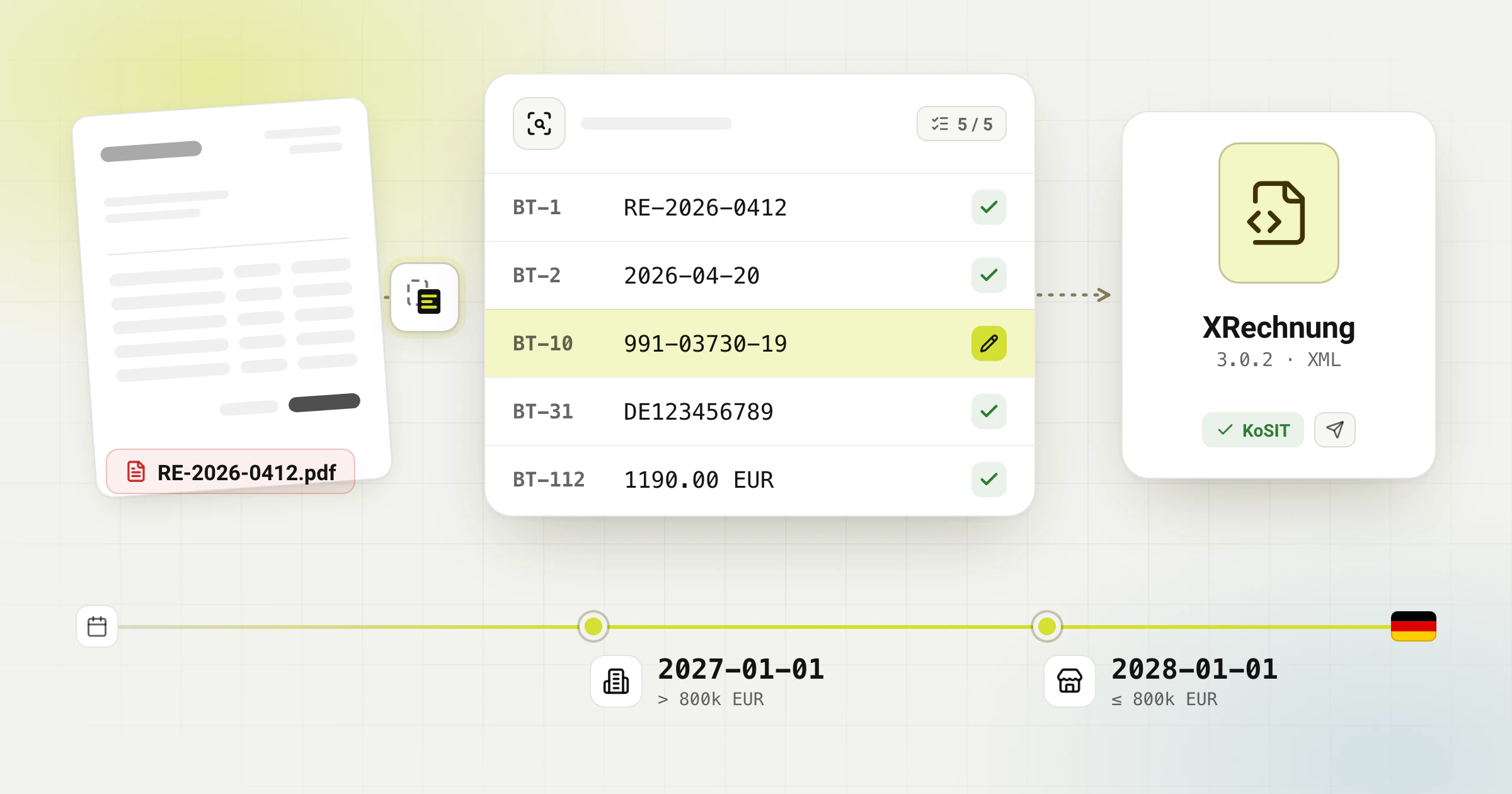
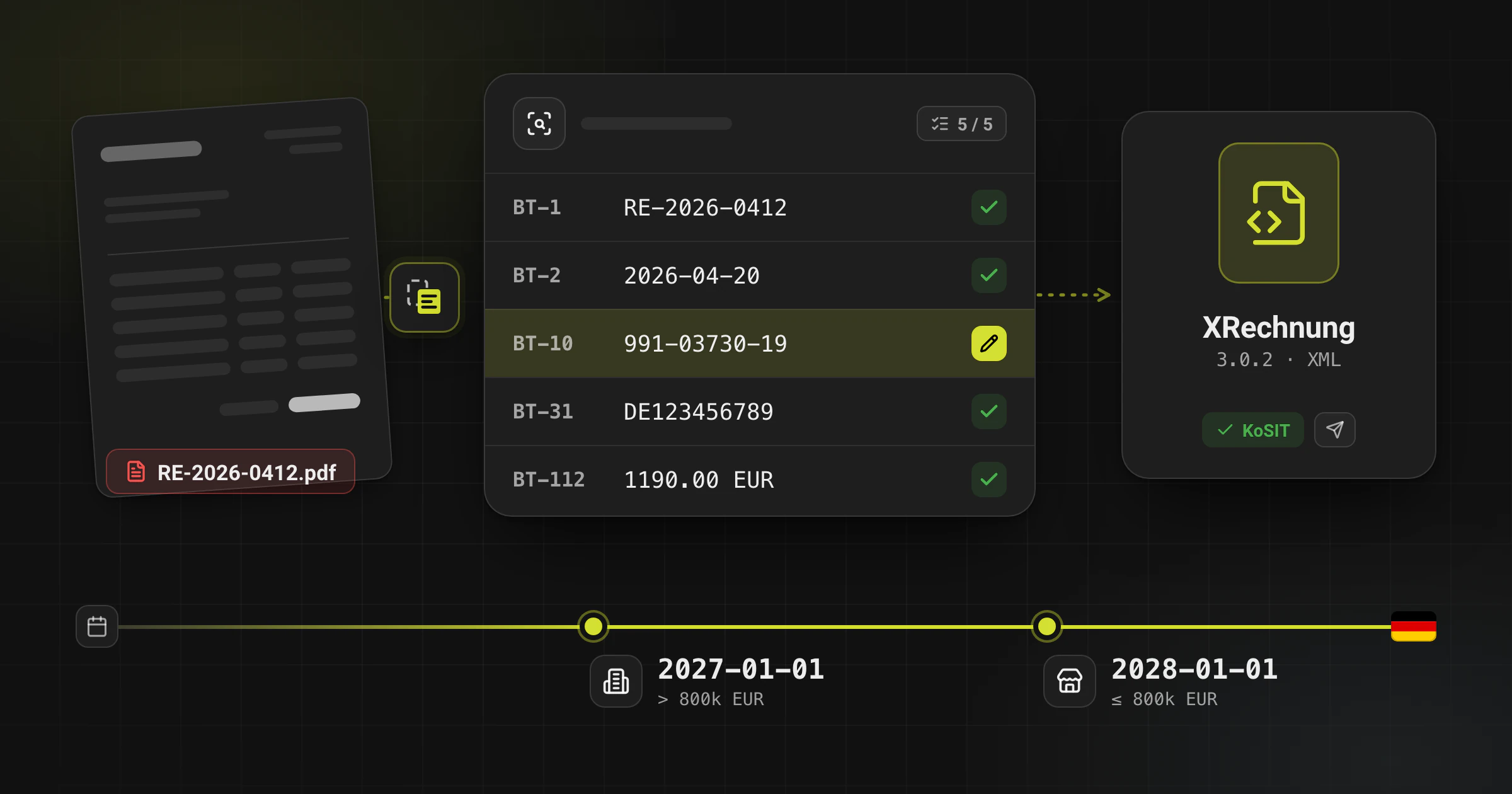
As of April 20, 2026, businesses in Germany must already be able to receive e-invoices. For domestic B2B transactions, the issuing transition period runs until December 31, 2026, and until December 31, 2027 for issuers whose previous-year turnover did not exceed EUR 800,000. From January 1, 2027, the transition no longer covers issuers above that threshold; from January 1, 2028, the e-invoice obligation applies more broadly. If your source process is still PDF-first, conversion can be a practical bridge, but only if the output is reviewed and validated.
When PDF-to-XRechnung conversion is the right approach
Use conversion when the upstream ERP or billing system still produces PDFs, while the recipient expects structured XML. It is especially useful during a phased rollout, pilot project, or ERP migration.
Do not treat conversion as a magic replacement for process design. If buyer identifiers, tax logic, payment terms, or line data are missing in the source invoice, those issues still need human review before the XML is sent.
What an acceptable XRechnung output must contain
Interactive map
Where the XRechnung required fields sit
Tap a part of the invoice to list its required fields and the rule that makes each one mandatory.
fields on every invoice
of them only by XRechnung rules
more in certain cases
Seller
8 always required · +7 in certain cases
- A supported XRechnung syntax and rule set, such as XRechnung 3.0.2.
- Required seller, buyer, invoice, tax, and payment information in the correct structured positions.
- Recipient-specific identifiers such as Buyer Reference or Leitweg-ID where required.
- A validation pass against EN 16931 and the applicable German rule set before submission.
Recommended conversion workflow
Interactive pipeline
How an e-invoice is validated
Click a stage to see what it checks, or type a rule ID to light up the stage that reports it.
Stage 1 · What it checks
XML schema
- The file is well-formed XML. If it cannot be parsed, no rule can run.
- Root element, namespaces, element order and data types follow the UBL 2.1 or CII D16B schema.
Example codes
Typical fix
Correct the generator: a misplaced element, a wrong namespace or a value in the wrong data type.
- Upload the PDF and check that header data, dates, totals, VAT rates, and line items were extracted correctly.
- Add or correct missing identifiers, especially buyer reference, Leitweg-ID, tax IDs, and payment references.
- Generate the XRechnung XML and run validation before the file leaves your team.
- Review warnings or failed rules, correct the source data, and regenerate instead of patching the XML manually where possible.
- Only then send the invoice through the correct recipient channel, portal, or Peppol setup.
Common failure points
- Treating the PDF layout as proof that the structured data is complete.
- Missing buyer reference or Leitweg-ID for German public-sector workflows.
- VAT category mismatches between line-level and document-level totals.
- Assuming the XML is ready to send without a validator report and exception handling process.
Frequently asked questions
Is a PDF alone compliant for German e-invoicing in 2026?
No. A plain PDF is not a structured e-invoice. It may still appear in legacy workflows during transition periods, but the compliance target is structured invoice data such as XRechnung or another accepted EN 16931 format.
When should I choose XRechnung instead of ZUGFeRD?
Choose XRechnung when the recipient, channel, or validation process expects the German XRechnung ruleset in structured XML. ZUGFeRD is usually better when you need a hybrid PDF plus XML invoice, provided the profile and recipient requirements allow it.
Can conversion remove the need for manual review?
No. Conversion reduces manual effort, but teams still need review steps for low-quality PDFs, missing identifiers, VAT edge cases, and invoices that fail validation.
Ready to convert your invoices?
Convert PDF invoices to XRechnung, ZUGFeRD, and other formats. Subscriptions from €10/month with annual billing (excl. taxes), with a 3-day trial on your first subscription. Or without a subscription: €5 per conversion (excl. taxes).
Try it free without an account, up to 6 PDF pages per conversion, attachments included. Only the download costs: it needs an account and one credit or a subscription.