Europe e-invoicing deadlines in 2026: Germany, France, Belgium, Poland and ViDA
Official references
Use these sources to verify dates, formats, and official rule changes.
Related Technical Wiki
Explore deep-dive developer documentation and regulatory guidelines matching this article.
A practical guide to EU e-invoicing: EN 16931, UBL/CII, PEPPOL, validation, identifiers, and how to prepare your invoicing process.
What ViDA changes at EU level, what remains national, and how to prepare for cross-border digital reporting from July 2030.
A country-by-country implementation guide for the largest and most mature EU e-invoicing markets: formats, routing, identifiers, pitfalls, and testing.
Europe's e-invoicing calendar is no longer a future problem
If your finance team still relies on PDFs, email attachments and an ERP that was not built for EN 16931, 2026 is the year e-invoicing becomes an operational requirement. The immediate pressure points are clear: Belgium is already in its mandatory phase, France begins its phased rollout on September 1, 2026, and Germany's domestic B2B transition leads to mandatory issuance in 2027 and 2028.
Interactive timeline
Who has to do what, and when
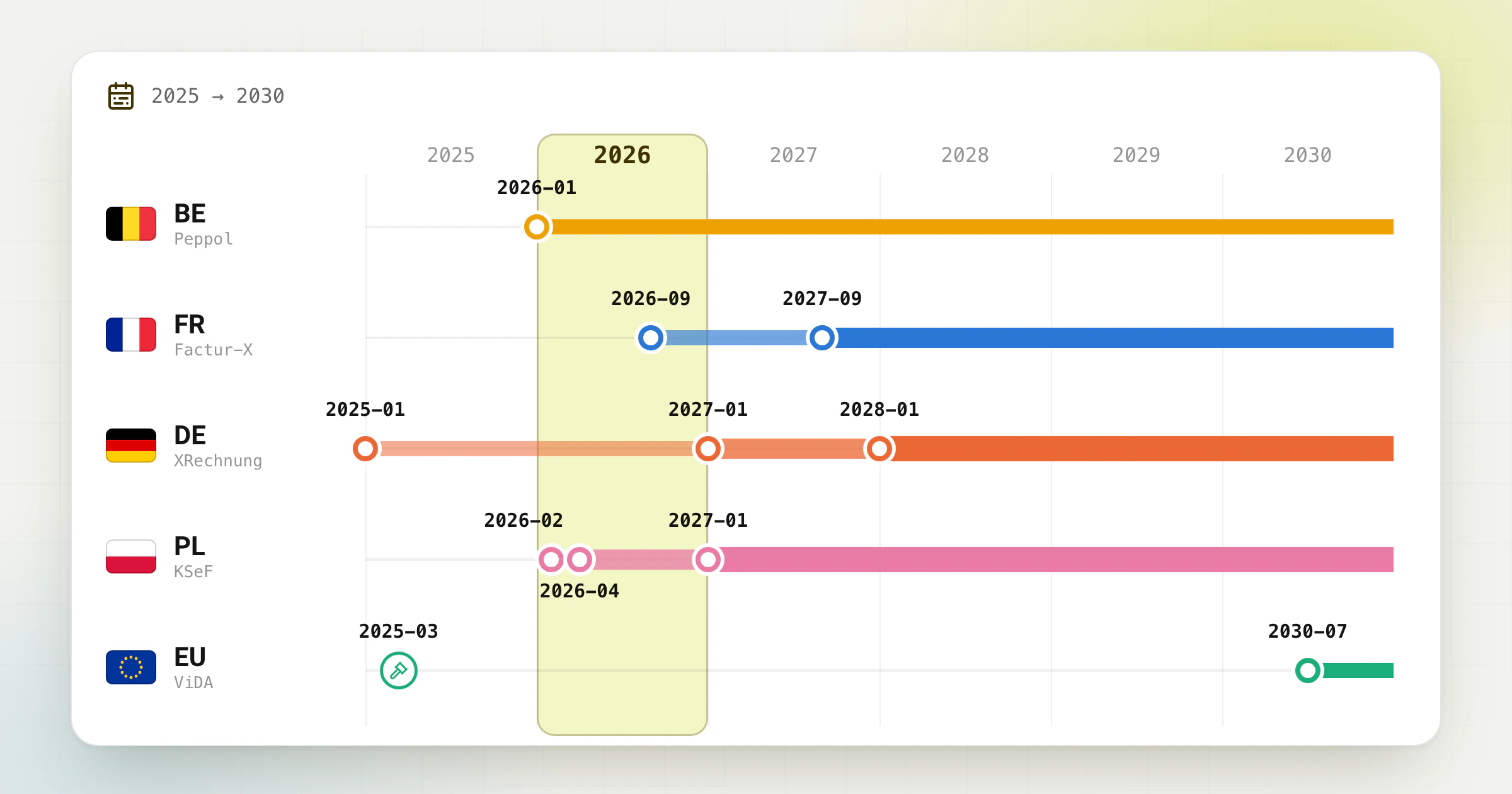
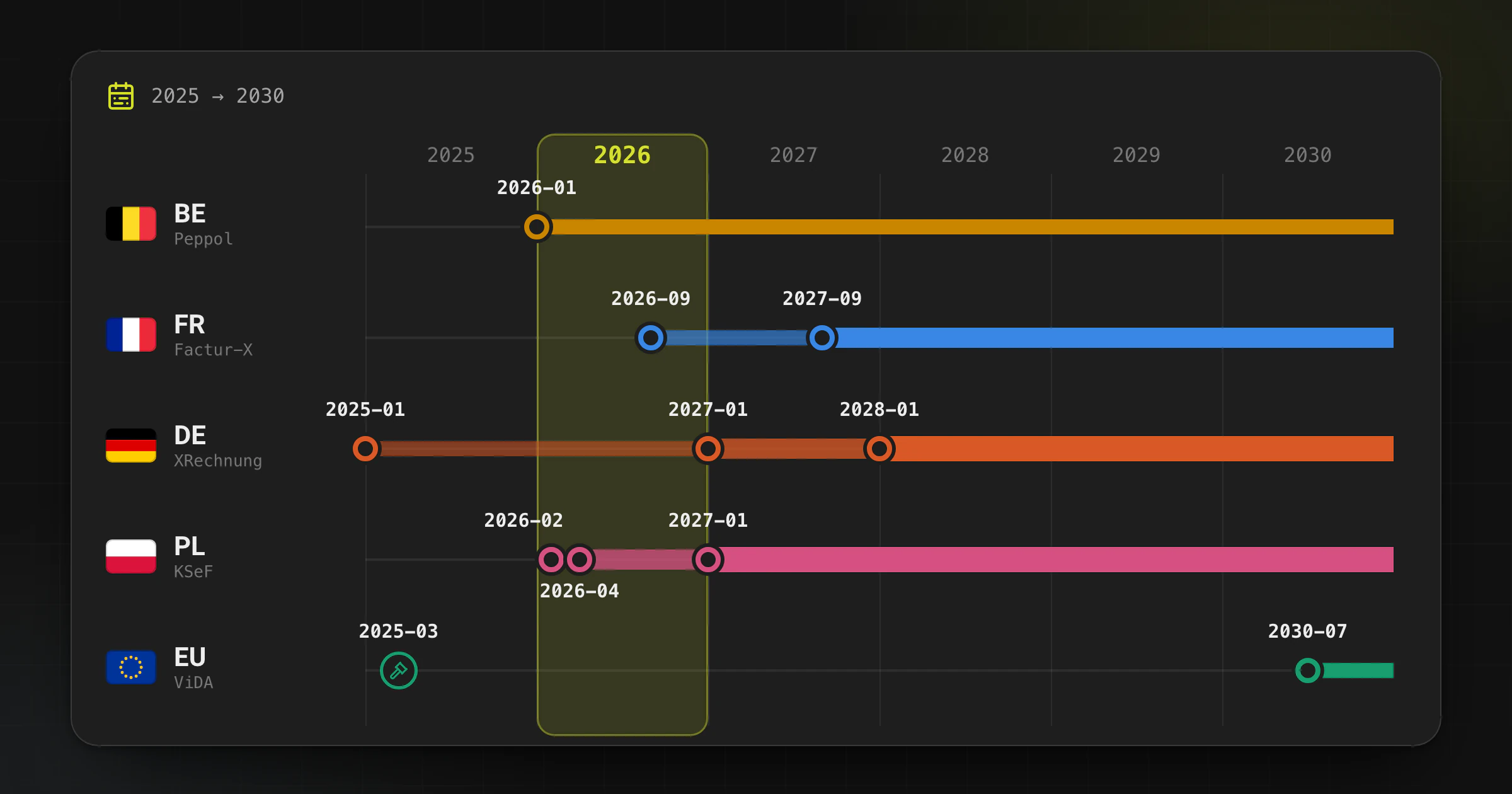
Each bar shows how far a mandate reaches. Hover or tap a bar for its date and what it means.
Issuers above €800,000 turnover must issue e-invoices
The threshold is the issuer’s total turnover in 2026. EDI with the recipient’s consent stays allowed until 31 Dec 2027.
The EU's VAT in the Digital Age (ViDA) package also sets the longer-term legal framework. For companies that cannot justify replacing their ERP, the practical question is no longer whether to prepare, but how to become compliant with minimal disruption.
Key 2026 dates at a glance
- Belgium: Domestic B2B structured e-invoicing became mandatory on January 1, 2026.
- France: Businesses established in France and subject to French VAT must be able to receive e-invoices from suppliers that are required to issue them from September 1, 2026; large and intermediate companies in that scope must also issue from that date.
- Germany: Businesses have had to receive domestic B2B e-invoices since January 1, 2025; issuance deadlines tighten on January 1, 2027 and January 1, 2028.
- Poland: KSeF issuance started for the largest businesses on February 1, 2026, expanded on April 1, 2026, and reaches the smallest sellers covered by the PLN 10,000 VAT-inclusive monthly-sales exception on January 1, 2027.
- EU / ViDA: the package was adopted on March 11, 2025 and sets the direction for EU-wide digital reporting and e-invoicing, including a major cross-border stage on July 1, 2030.
Europe e-invoicing timeline for 2026
| Jurisdiction | Key date | What changes | What it means in practice |
|---|---|---|---|
| Belgium | January 1, 2026 | Structured domestic B2B e-invoicing becomes mandatory for most VAT-registered businesses. | Emailing a normal PDF is not enough. You need a structured invoice flow, typically via Peppol BIS Billing 3.0. |
| France | September 1, 2026 | Businesses established in France and subject to French VAT must be able to receive e-invoices. Large and intermediate companies in that scope must also issue. | Buying-side readiness becomes mandatory for everyone first. Sales-side issuance depends on company size. |
| France | September 1, 2027 | SMEs and microenterprises in that scope must also issue e-invoices. | If you are a smaller French business, 2026 is your preparation window. |
| Germany | January 1, 2025 | Businesses must be able to receive domestic B2B e-invoices. | Accounts payable and archiving processes already need to handle structured formats. |
| Germany | January 1, 2027 | Businesses with prior-year turnover above €800,000 must generally issue e-invoices from this date. | Larger domestic B2B issuers need a compliant structured output before the transition deadline. |
| Germany | January 1, 2028 | All remaining domestic B2B businesses must issue compliant e-invoices. | The transition period is over. Structured issuance becomes the default. |
| EU / ViDA | July 1, 2030 | Major EU-wide digital reporting and e-invoicing changes begin for cross-border B2B flows. | Country-level mandates still matter now, but the strategic direction is already fixed. |
Germany: 2026 is still a transition year, but not a relaxed one
Germany's domestic B2B e-invoicing reform started on January 1, 2025 with a mandatory receiving obligation. The Federal Ministry of Finance FAQ also makes the transition schedule explicit: other invoice formats can still be used in certain cases through December 31, 2026, and smaller issuers with prior-year turnover up to €800,000 can use a longer transition period through December 31, 2027.
The operational takeaway is simple: if you sell into Germany, you should not treat 2026 as a waiting year. It is the year to stabilize your outbound process, decide whether you will issue XRechnung, ZUGFeRD / Factur-X, or another EN 16931-compliant syntax, and make sure validations are part of the workflow instead of an afterthought.
Need a practical bridge? Convert PDF to XRechnung →
Prefer a hybrid PDF + XML flow? Convert PDF to ZUGFeRD / Factur-X →
Belgium: mandatory since January 1, 2026
Belgium is no longer planning e-invoicing. It is already in the mandatory phase. For most domestic B2B transactions between VAT-registered businesses, the expectation is a structured electronic invoice, typically aligned with Peppol BIS Billing 3.0. In practice, that means a plain PDF sent by email does not meet the same compliance objective as a structured invoice that can be processed automatically.
This is exactly where many mid-market teams get stuck: their ERP can generate a readable invoice, but not a compliant structured payload. Invoice-Converter can generate and validate the structured file while the core ERP remains in place. You must then send that file through the recipient platform, a service provider, or a Peppol Access Point. Delivery remains a separate step.
Prepare UBL invoices for Peppol-style workflows →
France: September 1, 2026 is the real preparation deadline
France's reform applies to businesses established in France and subject to French VAT. Official guidance makes two dates decisive: September 1, 2026 and September 1, 2027. From September 1, 2026, all businesses in that scope must be able to receive electronic invoices from suppliers required to issue them, while large and intermediate companies must also issue. SMEs and microenterprises in that scope follow on September 1, 2027.
France also officially recognizes structured formats such as UBL, CII, and Factur-X. For businesses that still depend on PDF-heavy processes, 2026 is the window to clean up master data, decide on the target syntax, and test the workflow with your platform and recipients before go-live.
Poland: KSeF is already a live 2026 requirement
Poland's central KSeF platform is not a future milestone. Businesses above PLN 200 million in VAT-inclusive 2024 sales started mandatory issuance on February 1, 2026; most other issuers followed on April 1, 2026. The temporary exception for the smallest sellers applies while VAT-inclusive, invoice-documented monthly sales stay at or below PLN 10,000 and ends on January 1, 2027. For entities covered by the mandate, receiving invoices through KSeF has applied from February 1, 2026. See the detailed KSeF rollout, FA(3), and offline-mode guide →
ViDA: why the EU layer still matters in 2026
The VAT in the Digital Age package does not replace national mandates, but it makes the strategic trajectory unmistakable. The Council adopted the package on March 11, 2025. The Commission's ViDA overview then set out phased changes, including a major cross-border digital reporting and e-invoicing stage on July 1, 2030.
For finance and ERP teams, the implication is not “wait until 2030”. It is the opposite. If you solve structured invoice generation, validation, and exception handling now, you build reusable infrastructure for both national mandates and later EU-wide reporting changes.
What counts as a compliant e-invoice?
- Not enough: a normal PDF, even if it was created electronically.
- Usually required: a structured invoice that systems can parse automatically.
- Common building blocks: EN 16931 semantic model plus UBL, CII, XRechnung, or ZUGFeRD / Factur-X depending on the jurisdiction and workflow.
- Operational reality: generation alone is not enough; you also need validation, error handling, and recipient-specific checks.
A low-disruption compliance stack
Most companies do not fail because they do not understand the deadline. They fail because their invoice data lives in inconsistent PDFs, ERP print templates, and email-based approval steps. A practical migration path usually looks like this:
- Keep the ERP as system of record for commercial data.
- Extract and normalize invoice fields from the source document or output.
- Generate the right structured format for the target country and recipient flow.
- Validate before sending so mandatory fields, totals, tax logic, and profile rules fail early.
- Route to the recipient channel such as Peppol, a national platform, or a partner network.
- Keep a human review step for low-quality source documents and edge cases.
This is why converter-and-validator workflows are useful: they can help teams meet the requirements without pausing billing operations for a major ERP program.
2026 checklist for finance and ERP teams
- Map which countries you invoice into and which dates apply to your entity size.
- Decide which structured formats you must support first: XRechnung, ZUGFeRD / Factur-X, UBL, or CII.
- Test whether your outbound data actually covers mandatory EN 16931 fields.
- Make validation part of the process before a customer or platform rejects the invoice.
- Separate “can receive” readiness from “can issue at scale” readiness.
- Document exception handling for incomplete PDFs, missing tax IDs, and master-data gaps.
How Invoice-Converter.com fits into this transition
Invoice-Converter.com extracts data from supported invoice inputs, creates structured output, and runs format validation. The workflow keeps a review step for unclear or incomplete source data before sending.
Convert PDF to XRechnung →
Convert PDF to ZUGFeRD / Factur-X →
Convert PDF to UBL →
Official Sources
Frequently asked questions
What are the main Europe e-invoicing deadlines in 2026?
The main 2026 milestones include Belgium's January 1 B2B mandate, Poland's KSeF issuance stages on February 1 and April 1, and France's September 1 receiving and first issuance stage. Germany is already in transition after its receiving obligation began on January 1, 2025.
Is sending a PDF invoice by email still enough in Europe?
Often no. The trend across European mandates is toward structured electronic invoices that can be processed automatically. A standard PDF may still be usable in some transition scenarios, but it usually does not meet the end-state requirement for structured e-invoicing.
Do I need to replace my ERP to comply with e-invoicing rules?
Not necessarily. Many companies can keep their ERP as the system of record and add a compliance layer for extraction, structured invoice generation, validation, and delivery. That is often the fastest low-disruption route.
Which formats matter most for European e-invoicing compliance?
The most important formats in current European workflows are XRechnung, ZUGFeRD / Factur-X, UBL, and CII, typically aligned with the EN 16931 semantic model. The exact syntax depends on the country, platform, and recipient flow.
What does ViDA change for e-invoicing teams?
ViDA sets the EU-level direction for digital reporting and e-invoicing, including a major cross-border stage from July 1, 2030. It does not remove national deadlines, but it makes early investment in structured invoice data and validation more valuable.
Ready to convert your invoices?
Convert PDF invoices to XRechnung, ZUGFeRD, and other formats. Subscriptions from €10/month with annual billing (excl. taxes), with a 3-day trial on your first subscription. Or without a subscription: €5 per conversion (excl. taxes).